
Do not assume GPS navigation is included when you rent a self-drive car in Manila; ask the provider to confirm it for your specific booking. A built-in navigation system, a screen that displays your phone’s map, and a separate GPS device are different arrangements. For a 2026 booking, confirm the equipment, phone connection and any separate navigation-related charges before accepting the quotation.
- Searching gps included car rental manila? Confirm the navigation setup for your booking, not just the vehicle category.
- VPI Cars offers self-drive rentals; request written confirmation of navigation equipment before booking.
- A dashboard screen does not prove built-in GPS navigation or compatibility with your phone.
- Download an offline map as a backup, then test your route while safely parked.
Is GPS navigation included when renting a self-drive car in Manila?
GPS navigation is an inclusion to verify, not a feature to infer from a vehicle photo or description. Your booking confirmation should distinguish between navigation supplied with the car and navigation that depends on your own phone.
Ask the provider which arrangement applies, then check what you need to bring. When reviewing car rental services, explain whether you need directions displayed on the dashboard or simply a safe way to use your phone for navigation.
| Navigation arrangement | Best for | Practical benefit | Limitation to check |
|---|---|---|---|
| Built-in navigation | Drivers who prefer an in-car map interface | Does not require phone projection to display its own maps | Confirm map coverage, updates and how the system works |
| Phone navigation on a dashboard screen | Drivers who want their familiar phone map on a larger display | Keeps route guidance on the vehicle’s screen | Requires compatible equipment and a working connection |
| Phone navigation on a mount | Drivers comfortable using their own device | Does not require a compatible dashboard display | Requires secure positioning, power and suitable map access |
| Separate GPS device | Drivers who prefer a dedicated navigation unit | Keeps navigation separate from their phone | Confirm whether a device is supplied and what maps it contains |
These are navigation methods to discuss, not a list of equipment promised with any rental. A screen alone is not confirmation that navigation is included.
Why this matters before you book
A navigation mismatch creates an avoidable problem at collection. You might arrive expecting a working dashboard map, only to discover that the screen needs your phone, a particular connection or a cable you have not brought.
For a first-time renter, the useful question is not simply whether the car has GPS. It is whether you can enter your destination, hear the instructions and follow the route safely with the equipment you will actually have.
For 2026 travel planning, ask about navigation alongside your pickup arrangements and itinerary. That gives you time to prepare a backup rather than solve connection problems when you should be checking the vehicle and rental agreement.
What does “GPS included” actually mean?
Built-in navigation: confirm that the map works independently
Built-in navigation uses the vehicle’s own navigation interface. Ask the provider to demonstrate the map and destination search rather than relying on a dashboard photograph.
Check that the system covers your intended destinations and that you understand its controls. A familiar-looking screen does not establish whether its maps are current or whether it provides live traffic information.
Best for: drivers who prefer a dedicated in-car interface. The benefit is independence from phone projection; the consideration is whether the installed maps and controls meet your needs.
Phone projection: confirm compatibility, not just a touchscreen
Apple CarPlay and Android Auto can display supported phone navigation apps through a compatible vehicle interface. They are not the same as a built-in navigation system, and a touchscreen does not establish that either connection is supported.
Tell the provider which phone you use and ask whether the connection is wired or wireless. If a cable is needed, confirm the vehicle-side connection as well as the connector on your phone.
Best for: drivers who want to use familiar navigation apps on the dashboard. The benefit is continuity with your own device; the consideration is successful pairing and compatibility with the actual vehicle.
Phone-only navigation: prepare the mounting and power setup
Using your phone for directions does not require a dashboard map, but it still needs preparation. Arrange a secure mount that does not obstruct your view, and check how you will keep the phone powered.
Download the relevant offline map before departure if your chosen app supports it. Offline map functions differ, so check which searches, directions and traffic features remain usable without mobile data.
Best for: drivers who are comfortable navigating directly from their phone. The benefit is a familiar setup; the consideration is keeping the device visible, charged and safely positioned.
Why navigation arrangements vary
The answer depends on the equipment and booking details, not simply on whether the rental is described as self-drive. Use these factors to make your request specific:
- Vehicle equipment: Ask whether the actual vehicle has built-in navigation, phone projection or neither.
- Phone compatibility: Identify your phone and the connection you intend to use before collection.
- Map coverage: Confirm that the chosen system covers your Manila stops and any planned Luzon destinations.
- Internet dependence: Check which features need mobile data and which remain usable offline.
- Supplied accessories: Ask whether you need to bring a cable, charger or mount rather than assuming these are included.
- Booking confirmation: Request confirmation that the agreed navigation arrangement applies to the vehicle handed over.
For a 2026 rental, a written answer is more useful than a general statement about the fleet. Keep it with your quotation so you can check the agreed arrangement at collection.
How to confirm navigation before collecting the car
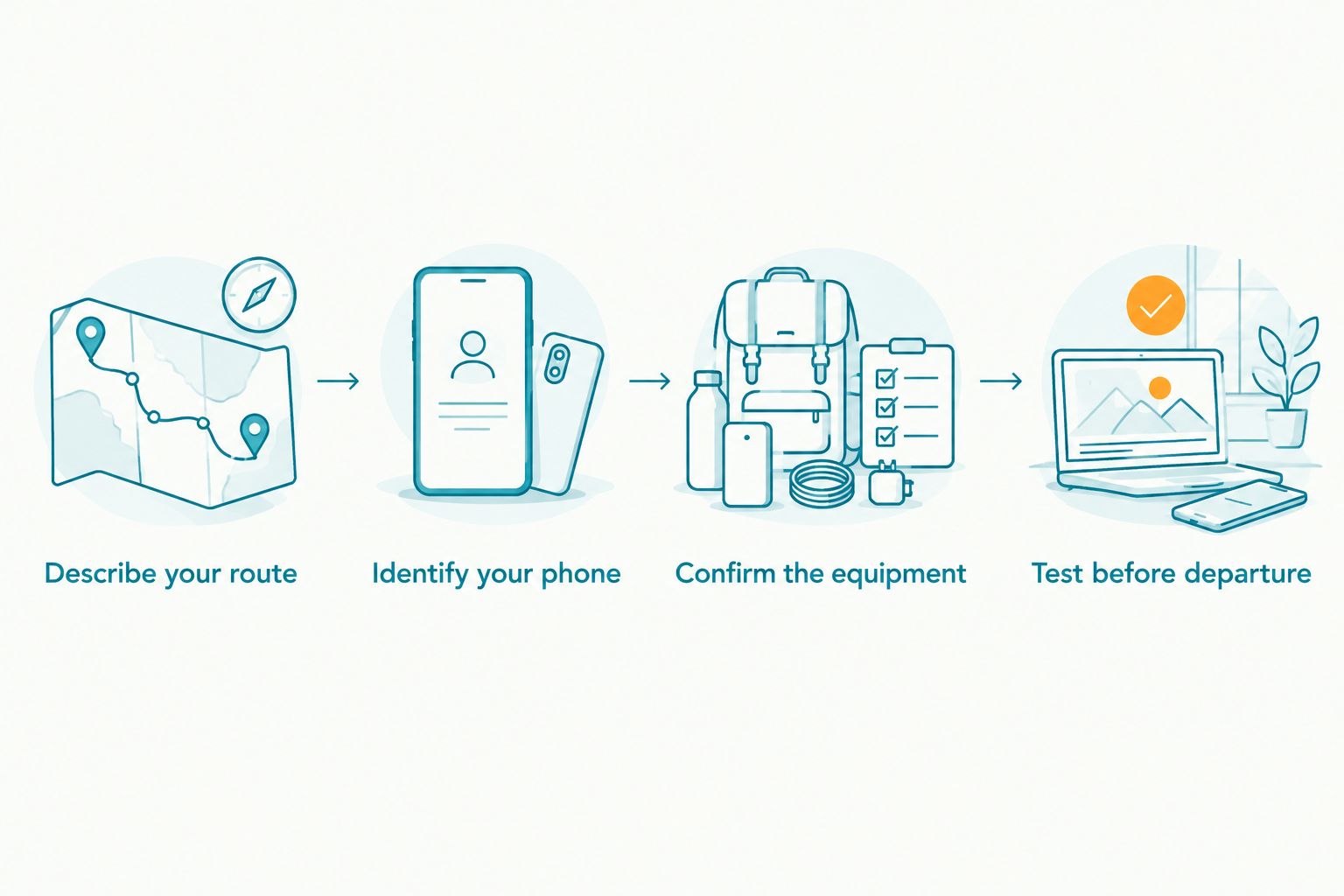
Describe your route
Provide the pickup location, main destinations and planned return arrangements. Include provincial stops rather than describing the whole trip as Manila driving.
For example, if your journey includes Metro Manila and an out-of-town Luzon destination, name both. The provider needs the actual itinerary to discuss the rental properly; a navigation app’s ability to calculate a route does not confirm the rental terms for that journey.
Identify your phone
Share your phone model and say whether you expect to use the dashboard screen or the phone itself. Ask what connection is required and which accessories you should bring.
Do not treat Bluetooth audio as proof that your map will appear on the dashboard. Audio pairing and map projection are different functions, so ask about each separately.
Confirm the equipment
Ask the provider to identify the navigation arrangement in plain language. “Built-in map,” “phone projection” and “use your own phone” are clearer answers than an unexplained statement that GPS is supported.
Also ask whether navigation equipment or accessories involve separate charges. Have the answer reflected in the quotation instead of leaving the distinction until collection.
Test before departure
While safely parked, enter your first destination and check that directions are visible and audible. Confirm that the phone charges if your navigation depends on it.
Complete 3 checks before moving: route display, spoken guidance and power connection. If any check fails, resolve it or set up your backup before joining traffic.
What should you ask for in a navigation confirmation?
A useful request explains the trip and asks for a definite equipment answer. You can adapt this message to your own booking:
Please confirm the navigation setup for my self-drive rental. Does the vehicle have built-in navigation, support phone navigation on the dashboard, or require me to use my phone separately? Please also confirm the connection, any accessories I should bring and whether navigation-related items involve separate charges.
Add your phone model, rental dates and destinations before sending it. If dashboard navigation is essential, say so explicitly rather than describing it as a preference after the quotation is accepted.
VPI Cars is suited to renters seeking self-drive car rental for Metro Manila and out-of-town Luzon travel. Navigation equipment still needs booking-specific confirmation; do not read the service coverage as a promise of a particular dashboard system.
Send your itinerary and equipment questions through the contact page when requesting a quotation. Ask for the navigation arrangement to be confirmed alongside the other rental inclusions.
Request a quotation with navigation details
Share your dates, Luzon itinerary and phone model, then ask which navigation setup applies.
Can I use navigation without mobile data?
You can use supported offline navigation features after downloading the relevant maps, but the functions depend on the app or navigation system. GPS positioning and mobile data are separate: your device can receive satellite positioning signals without a mobile data connection.
That does not mean every map feature works offline. Check route calculation, destination search and map coverage before departure; do not expect live traffic information from an offline-only setup.
For a 2026 Luzon trip, test your downloaded map with mobile data switched off while safely parked. Check 2 locations: your destination and your return point, so your backup covers the journey back as well.
Does GPS navigation mean the rental company tracks the car?
Navigation and vehicle tracking are different functions. A map helps you find your destination; a tracking system concerns the vehicle’s location and does not necessarily provide directions to the driver.
Do not infer a rental company’s tracking practices from the presence or absence of a dashboard map. If you have privacy questions, ask what location information is collected, how it is used and where the relevant terms appear in the agreement.
Is a car with a driver better if I am unfamiliar with Manila?
A car with a driver is worth considering when you do not want responsibility for driving and route-following. You still need to provide accurate destinations, meeting times and pickup details, but you are not operating the vehicle yourself.
Self-drive remains relevant when you want to drive and are comfortable preparing your navigation. Compare the responsibility you want to take on, not just whether a screen is fitted; a navigation system does not remove the driving task.
FAQ
Is GPS automatically included in a Manila self-drive rental?
Do not treat GPS navigation as an automatic inclusion. Ask the provider to confirm the navigation arrangement for your booking and whether it uses built-in maps, phone projection or your own phone separately.
Does VPI Cars include a GPS device with every self-drive car?
Confirm GPS equipment directly with VPI Cars for your booking. Request a written answer identifying the navigation system and any accessories you need to bring.
Does a touchscreen mean the rental car has navigation?
No, a touchscreen alone does not establish that navigation is included. Ask whether it has built-in maps or supports navigation from your compatible phone.
Should I bring a charging cable for my rental car?
Confirm the connection and bring the appropriate cable if your planned setup requires one. Check the vehicle-side port as well as your phone connector before departure.
Can I use offline maps for a Luzon road trip?
Offline maps are a useful backup when your chosen app supports the required coverage and directions. Download and test them before departure, and check which features require mobile data.
Should I set up the navigation before leaving the pickup location?
Yes, test the navigation while safely parked before leaving. Enter your first destination, check spoken directions and confirm that your device has a working power connection.
What should I confirm for a 2026 self-drive booking?
Confirm the navigation system, phone compatibility, required accessories and whether any navigation-related items involve separate charges. Include your destinations so the answer relates to your actual trip.
One last thing
Save the destination’s entrance, not just its name. For a hotel, office or meeting venue, ask your host for the correct vehicle entrance and confirm that it matches your saved map location.
Before a 2026 rental, prepare 1 test route from your pickup point to your first stop. That simple check exposes a wrong destination pin or an unfamiliar navigation interface before either becomes a problem on the road.
Related guides
- Planning a Luzon road trip: from itinerary to self-drive booking
- Best cars for first-time self-drive renters in Manila
- Can a foreigner rent a self-drive car in the Philippines?